

Tutorial
IPTV Smarters Pro: Setup Guide and Safety Notes
By CatchON TV Support TeamPublished
On this page
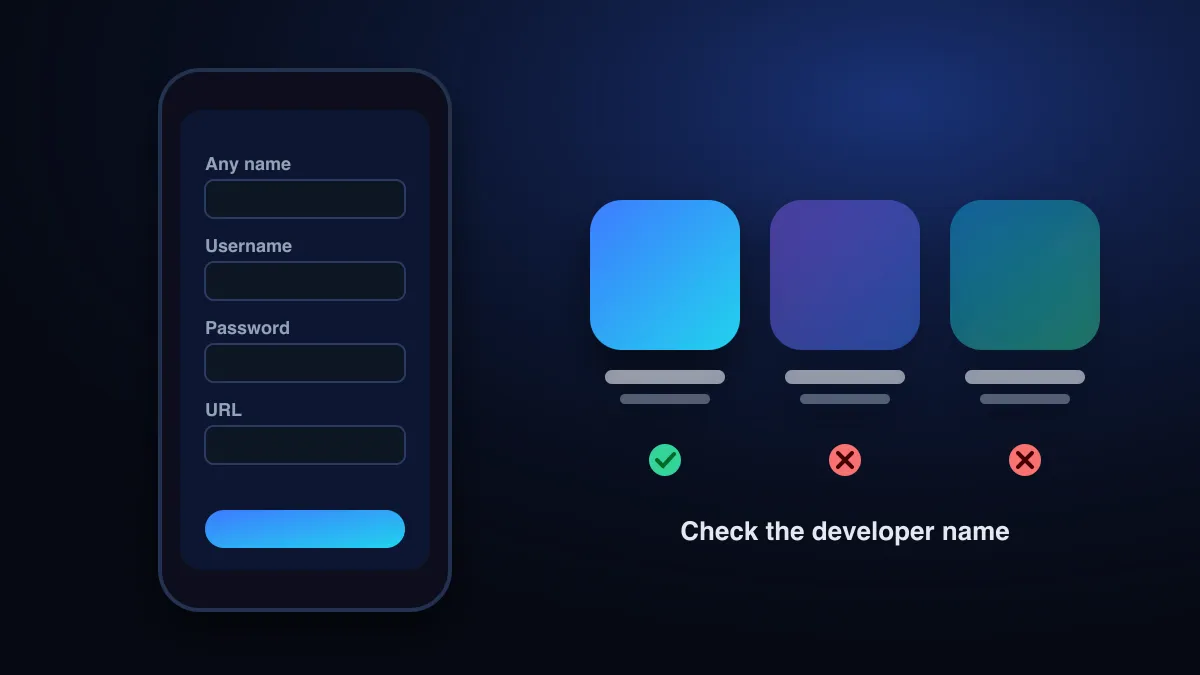
IPTV Smarters Pro is a player app: it has no channels of its own and plays the service you sign in with. To set it up, choose “Login with Xtream Codes API”, then enter any profile name and the username, password and server URL from your provider. Before installing, check the developer, because many store listings use similar Smarters names.
What is IPTV Smarters Pro?
It is one of the most widely used IPTV player apps. Its developer has stressed that the app carries no content: in 2019, after Google briefly removed it from Google Play following a copyright complaint, a representative told TorrentFreak, “we are not offering any kind of media content – streams, subscriptions, channels, etc. The user must have their own content.” The app was reinstated (TorrentFreak).
In practice, Smarters is a shell: the channel list, guide and on-demand library you see all come from the IPTV service you log in with.
Many apps use the Smarters name
A search of Apple’s App Store on October 1, 2026 showed several Smarters-branded players from different developers, for example listings published by Multiverse, by Favour Mbah Tah and by Pixel Crater Ltd. Similar names don’t mean the same app, the same developer or the same privacy practices.
| Before installing, check | Why |
|---|---|
| Developer name on the store page | Lookalike apps reuse the name and icon style |
| Last update date | Abandoned apps break on new devices |
| What data the listing says it collects | Some free players are ad- or data-funded |
| Whether it promises channels | A genuine player never includes channels |
Never install an APK sent by a stranger in a chat or found on a forum. The FTC’s advice for suspicious links applies: use a website you know is real rather than the link you were sent (FTC).
Setting up with an Xtream Codes login
Open the app and add a user
On first launch you’ll see the login options. Later, use “Add user” or “List users”.
Choose “Login with Xtream Codes API”
This is the recommended option: it loads live TV, the guide, films and series in one step.
Fill in the four fields
Any name (a label for you), username, password and URL, the server address with
http://and the port, exactly as your provider sent it.Add user and wait
The first sync downloads channels, guide data and the on-demand catalogue. Let it finish before browsing.
Setting up with an M3U link
Choose the M3U / playlist URL option, give it a name, paste the full link and confirm. M3U logins may not load films and series as neatly as Xtream Codes, and the TV guide may need its own link. The M3U playlist guide explains the format.
Live TV, guide and on-demand
- Live TV opens the channel groups from your provider. Long-press or use the menu to add favourites.
- Install EPG / update guide: run it once after login if the guide is empty.
- Movies and series appear as separate libraries when the login is Xtream Codes.
- Settings › player lets you switch the internal player or stream format if playback stutters on your device.
Fixing common Smarters problems
| What you see | Likely cause | Try |
|---|---|---|
| Invalid / failed login | Typo, missing port or http://, expired account | Authentication fixes |
| Stuck on loading | Large playlist or slow connection | Wait for the first sync; restart the app |
| No guide data | EPG not installed | Run the guide update from the home screen or settings |
| Buffering | Wi-Fi, device or stream format | Buffering fixes |
| App won’t install | Unsupported device or OS version | Unsupported device |
Devices and alternatives
Smarters-type apps exist for many platforms, but not for every TV. Roku in particular is a common dead end. See IPTV on Roku. On Android TV and Fire TV, many people prefer a TV-first player such as TiviMate. The player comparison covers the options, and CatchON TV’s device-by-device instructions are in the setup guide.
Sources
- IPTV Smarters App Back on Google Play After Winning Copyright Dispute (Oct 26, 2019) — TorrentFreak (accessed )
- How To Recognize and Avoid Phishing Scams — Federal Trade Commission (accessed )
Check that your device works with CatchON TV before you choose a plan.
Check supported devices