

Explainer
What Is an M3U Playlist? A Beginner’s Guide for IPTV
By CatchON TV Support TeamPublished
On this page
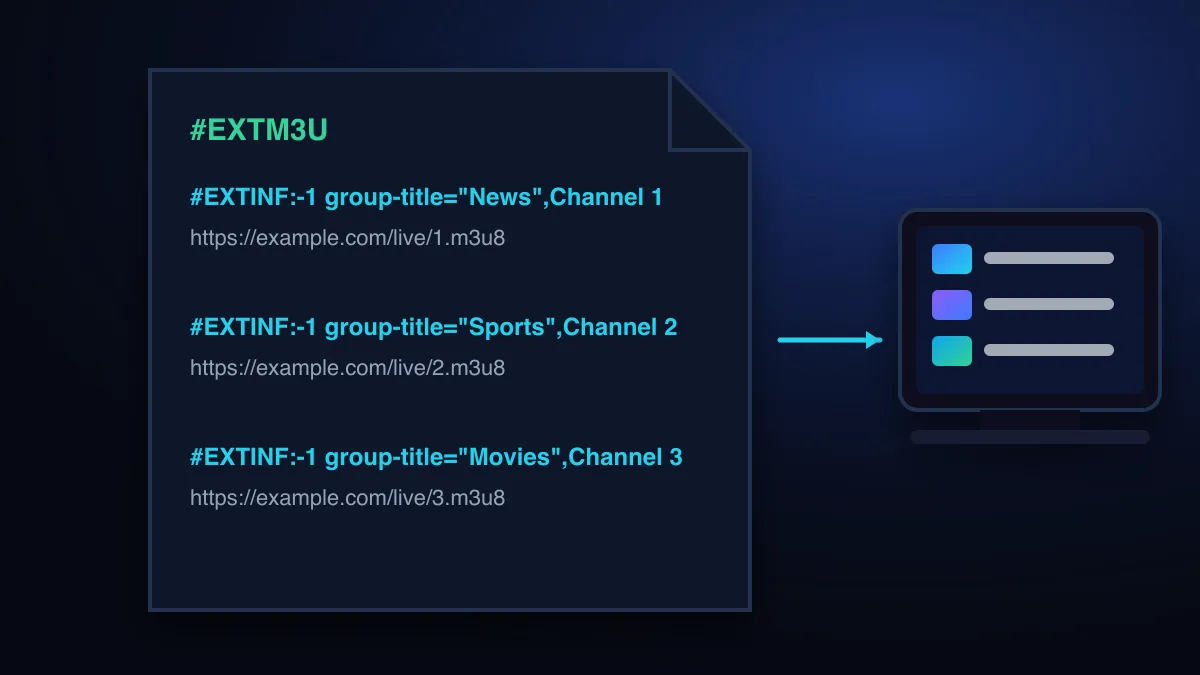
An M3U playlist is a plain-text file that lists media addresses, one per line. In IPTV, each entry points to a live channel or video stream, and an #EXTINF line above it gives the channel’s name, logo and group. Your player reads the file, or a link that serves it, and turns it into a channel list.
M3U is short for “MP3 URL”. It started as a way to list music files and became the most common way to hand an IPTV channel list to a player (Wikipedia). You rarely need to edit one by hand, but knowing how it is built makes most playlist errors easy to understand.
Anatomy of an M3U file
Here is a shortened IPTV playlist with placeholder addresses:
#EXTM3U url-tvg="https://example.com/guide.xml"
#EXTINF:-1 tvg-id="news.example" tvg-logo="https://example.com/logos/news.png" group-title="News",Example News HD
https://example.com/live/USERNAME/PASSWORD/1001.ts
#EXTINF:-1 tvg-id="sport.example" group-title="Sports",Example Sport 4K
https://example.com/live/USERNAME/PASSWORD/1002.ts#EXTM3Umust be the first line. It tells the player this is an extended M3U file.- Each
#EXTINFline describes the entry below it.-1means “no fixed duration”, which is normal for live TV. - The text after the last comma is the name shown in your channel list.
- The next line is the stream address the player opens when you choose that channel.
The two directives are old enough to be standard. The IETF’s HTTP Live Streaming specification notes that its playlist format “is derived from the M3U playlist file format and inherits two tags from that earlier file format: EXTM3U … and EXTINF” (RFC 8216).
Common IPTV attributes
IPTV playlists add attributes inside the #EXTINF line. They are a widely used convention rather than a formal standard, so a player may ignore some of them.
| Attribute | What it does | If it’s missing |
|---|---|---|
tvg-id | Matches the channel to its entry in the TV guide | The channel plays but shows no guide |
tvg-logo | Web address of the channel logo | A blank or generic icon |
group-title | Category or country folder in the channel list | Everything lands in one long list |
url-tvg (on the #EXTM3U line) | Address of the guide file for the whole playlist | You add the guide link in the player by hand |
What is the difference between M3U and M3U8?
An .m3u8 file is an M3U file saved in UTF-8 text encoding, which keeps accented and non-Latin channel names readable (Wikipedia). You will also see .m3u8 on individual stream addresses: those are HLS playlists that list the short video segments of a single stream. For an IPTV channel list, the two extensions behave the same in nearly every player.
Playlist file vs playlist link
IPTV services almost always give you a link rather than a file. The link generates the current playlist every time your player refreshes it, so new and moved channels appear automatically. A downloaded file is a snapshot that goes out of date. If your player offers both, use the link.
M3U vs Xtream Codes vs MAC portal
| M3U link | Xtream Codes login | MAC portal | |
|---|---|---|---|
| What you enter | One long URL | Username, password, server URL | Portal URL; the box’s MAC is registered |
| Live TV | Yes | Yes | Yes |
| Films and series | Sometimes, as very long lists | Yes, as a separate library | Yes |
| TV guide | Needs a guide link (url-tvg or manual) | Usually loads automatically | Loads automatically |
| Best for | Players without Xtream support, VLC, MAC-activated TV apps | Most player apps | MAG and Formuler boxes |
If your player supports Xtream Codes, use that. It loads live TV, the guide and on-demand content in one go. Keep the M3U link as a fallback and a diagnostic tool. The CatchON TV setup guide lists which format each device uses.
How to add an M3U playlist to a player
Menus differ between apps, but the steps are nearly always these:
Open the playlist settings
Look for “Add playlist”, “Add user” or “Playlists” in the app’s settings.
Choose M3U / “playlist URL”
Pick the URL option rather than “file” so the list stays up to date.
Paste the full link
Copy it exactly, including
http://orhttps://, the port number and every parameter.Name it and load
Give the playlist a name. The first load can take a minute for large lists.
Add the guide
If channels show no programmes, add the guide (EPG) link in the same settings area.
Choosing an app? How to choose an IPTV player compares the main options, and the TiviMate guide walks through one popular player in detail.
Adding the TV guide
Guide data usually arrives as an XMLTV file, a separate link that maps tvg-id values to schedules (background on EPGs). If the guide is empty, check that the guide link is entered, refresh it from the player’s settings and allow a few minutes. Channels whose broadcaster doesn’t publish schedule data will stay empty, and that is normal.
Keep your playlist private
Only load playlists from the service you pay for. Lists shared on forums and video sites often point to unlicensed streams, stop working without warning, and can be used to push malicious app downloads. We don’t link to public playlists for those reasons. Is IPTV legal? explains the copyright side.
Fixing M3U errors
| What you see | Likely cause | Fix |
|---|---|---|
| “Playlist failed to load” / “invalid playlist” | Link copied incompletely or with a space | Copy it again from the original message; paste without editing |
| Loads in a browser, not in the app | The app can’t reach that port or format | Try the Xtream Codes login instead, or another player |
| Authentication or 401/403 errors | Wrong details, expired account or too many devices | Fix authentication errors |
| Channels load, guide is empty | No guide link, or tvg-id mismatch | Add or refresh the EPG link |
| Some channels play, others don’t | Individual source down | Report the channel names to your provider |
A quick test: open the M3U link in a computer browser. If it downloads a text file starting with #EXTM3U, your account works and the problem is the app or the device. If you get an error page, the issue is the link or the account. More fixes are in the troubleshooting guide, and the bigger picture is in what IPTV is.
Sources
- M3U — Wikipedia (accessed )
- RFC 8216: HTTP Live Streaming — IETF (accessed )
- Electronic program guide — Wikipedia (accessed )
Ready to try it on your own TV? The setup guide walks through each device.
Read the setup guide